
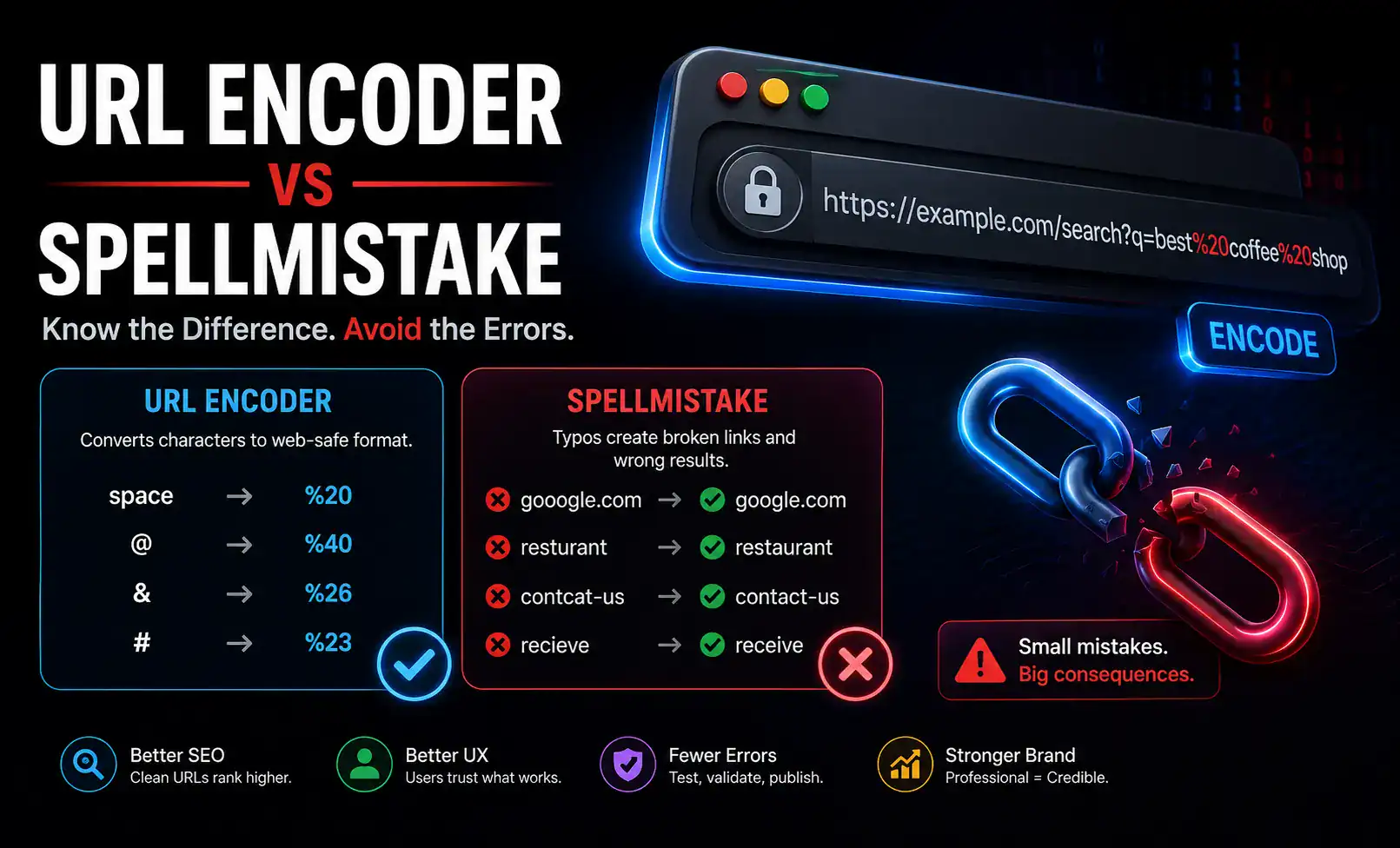
When working with web addresses, APIs, search parameters, or online forms, even a tiny mistake can cause unexpected problems. One issue that often confuses developers, marketers, and website owners is the URL encoder spellmistake phenomenon. Whether it’s a typo in encoded text, an incorrectly converted character, or a misunderstanding of URL encoding rules, these errors can affect website functionality, tracking accuracy, and user experience.
Understanding why these mistakes happen and how to prevent them can save valuable time and reduce troubleshooting efforts. In today’s increasingly connected digital environment, proper URL encoding is more important than many people realize.
What Is URL Encoding?
URL encoding is the process of converting special characters into a format that can be safely transmitted over the internet. Certain characters, such as spaces, symbols, and non-standard letters, are replaced with specific codes that browsers and servers can interpret correctly.
For example:
- Space becomes
%20 - Ampersand (
&) becomes%26 - Plus sign (
+) may have special handling depending on context
This conversion ensures that URLs remain readable by systems and do not break during transmission.
Without proper encoding, web applications may misinterpret data, leading to broken links, failed searches, or incomplete form submissions.
Why URL Encoder Mistakes Occur
A URL encoder error typically happens when text is encoded incorrectly or when users misunderstand how encoding should work.
Some common causes include:
Manual Typing Errors
People often enter encoded strings manually. A single missing character or misplaced symbol can change the meaning of an entire URL.
For example:
Correct:https://example.com/search?query=hello%20world
Incorrect:https://example.com/search?query=hello20world
The missing percentage symbol completely changes the result.
Double Encoding
Another frequent issue occurs when content is encoded twice.
Example:
Original text:hello world
First encoding:hello%20world
Second encoding:hello%2520world
The additional encoding alters the intended value and may cause unexpected behavior.
Misunderstanding Reserved Characters
Certain characters have special meanings in URLs. Encoding them incorrectly can disrupt communication between browsers and servers.
Characters such as:
?&#/=
must be handled carefully depending on their role within the URL structure.
Copy-and-Paste Problems
Text copied from emails, documents, or messaging platforms sometimes includes hidden formatting or altered symbols, resulting in malformed encoded strings.
Common URL Encoder Spellmistake Examples
The phrase “URL encoder spellmistake” often refers to spelling-related errors that appear after encoding or decoding content.
Here are several examples:
| Situation | Correct Version | Mistaken Version |
|---|---|---|
| Space Encoding | hello%20world | hello20world |
| Encoded Symbol | company%26sales | company&sales |
| Double Encoding | hello%20user | hello%2520user |
| Query Parameter | name=John%20Smith | name=John Smith |
| Non-English Text | Properly encoded | Unencoded characters |
These issues may seem minor, but they can affect search functionality, tracking systems, and application performance.
How URL Encoding Affects SEO
Many website owners don’t realize that URL encoding can influence search engine accessibility.
Search engines rely on properly structured URLs to crawl and index content efficiently. When encoding mistakes occur, several SEO-related problems may arise:
- Broken internal links
- Duplicate URL variations
- Incorrect redirects
- Tracking parameter errors
- Poor user experience
For instance, if a website generates multiple versions of the same page due to encoding inconsistencies, search engines may struggle to determine the preferred version.
Maintaining clean and correctly encoded URLs supports better indexing and improved usability.
A Real-World Scenario
Imagine an e-commerce company launching a promotional campaign through email marketing.
The marketing team creates links containing tracking parameters and product names. One team member accidentally enters a malformed encoded value in the URL.
Instead of directing visitors to the intended product page, the link generates an error.
As a result:
- Customers encounter broken pages.
- Analytics data becomes inaccurate.
- Conversion rates decline.
- Marketing performance reports become unreliable.
A seemingly insignificant encoding error can quickly impact revenue and customer satisfaction.
Recognizing Encoding Problems Early
The best way to address URL-related issues is to identify them before they affect users.
Warning signs include:
- Broken links
- Missing search results
- Unexpected redirects
- Incorrect analytics tracking
- Form submission failures
- Strange symbols appearing in URLs
Regular testing can help detect these problems before they become widespread.
I once spent nearly an hour troubleshooting what appeared to be a server issue, only to discover that a single improperly encoded character in a URL parameter was responsible for the entire problem.
Experiences like this highlight the importance of paying attention to small details.
Best Practices to Avoid URL Encoding Errors
Reducing encoding mistakes doesn’t require advanced expertise. Following a few practical habits can significantly improve accuracy.
Use Reliable Encoding Tools
Instead of manually converting characters, use trusted URL encoding utilities that automate the process.
Automation reduces human error and ensures consistency.
Validate URLs Before Publishing
Before launching campaigns, publishing content, or deploying applications, test every URL thoroughly.
Checking links beforehand is much easier than correcting issues after users encounter them.
Avoid Manual Editing of Encoded Strings
Encoded URLs often appear confusing because of symbols and hexadecimal values.
Directly editing them increases the likelihood of introducing mistakes.
Keep Naming Conventions Consistent
Using predictable naming structures helps minimize accidental formatting issues.
For example:
- product-name
- user-profile
- category-page
Consistency reduces complexity and simplifies debugging.
Monitor Analytics Carefully
Unexpected traffic drops or unusual user behavior may indicate hidden URL problems.
Reviewing analytics regularly can reveal issues that might otherwise go unnoticed.
The Difference Between Encoding and Spelling Errors
Many people assume every URL issue is an encoding problem, but spelling mistakes can also contribute.
Consider these examples:
Encoding Error
example.com/search?term=blue%20shirt
If encoded incorrectly:example.com/search?term=blue20shirt
Spelling Error
example.com/search?term=bleu%20shirt
The encoding is correct, but the word itself is misspelled.
Understanding the distinction helps diagnose issues more efficiently and prevents unnecessary troubleshooting.
Why Attention to Detail Matters
Modern websites rely heavily on URLs for navigation, tracking, personalization, and communication between systems.
A small encoding mistake can create a chain reaction affecting multiple areas:
- User experience
- Search visibility
- Analytics accuracy
- Marketing campaigns
- Application functionality
Organizations that establish strong quality-control processes typically experience fewer URL-related problems and more reliable digital performance.
The cumulative effect of preventing small errors often delivers substantial long-term benefits.
Read More: OnlyWorkMoods com Review: Features, Benefits & Insights
Conclusion
The term URL encoder spellmistake may sound technical, but the concept is straightforward. It refers to errors that occur when URLs are encoded incorrectly, typed improperly, or mishandled during data transmission. These mistakes can lead to broken links, inaccurate tracking, SEO challenges, and poor user experiences.
By understanding how URL encoding works, recognizing common pitfalls, and following best practices, website owners, developers, and marketers can avoid many unnecessary issues. In a digital environment where precision matters, even a single character can make a significant difference.
FAQs
What is a URL encoder?
A URL encoder is a tool or process that converts special characters into a format that can be safely transmitted and interpreted within a URL.
Why do URL encoding mistakes happen?
Common causes include manual typing errors, double encoding, misunderstanding reserved characters, and copy-and-paste formatting issues.
Can URL encoding errors affect SEO?
Yes. Improperly encoded URLs can lead to crawling issues, duplicate pages, broken links, and reduced search engine efficiency.
What is double encoding?
Double encoding occurs when already encoded text is encoded again, producing unintended values and potentially breaking functionality.
How can I prevent URL encoder mistakes?
Use reliable encoding tools, validate URLs before publishing, avoid manually editing encoded strings, and regularly test links and tracking parameters.
Are spelling mistakes the same as encoding mistakes?
No. A spelling mistake involves incorrect text, while an encoding mistake involves incorrect conversion or formatting of characters within a URL.