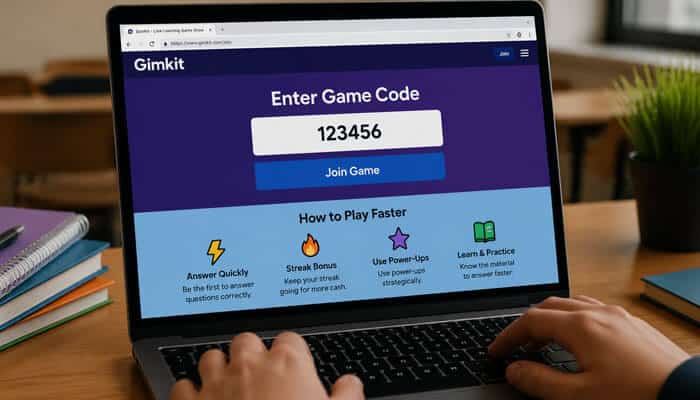
If you’ve ever joined a live classroom quiz or game-based learning session, chances are you’ve come across a Gimkit code. It’s a simple access code that lets students jump into a live game hosted by a teacher, but behind that little number is a surprisingly engaging educational experience.
Whether you’re a student trying to join a game quickly, a teacher exploring interactive classroom tools, or a parent curious about how it all works, understanding how these game join codes function can save time and make the experience smoother.
Let’s break it down in a practical, easy-to-understand way.
What Is a Gimkit Code?
A Gimkit code is a unique game code generated when a host starts a live game on Gimkit. Students or participants enter this code on the join page to access the specific game session.
Think of it like a digital classroom key.
Instead of logging into a complicated system or searching manually, players simply type in the session code and join instantly.
This makes the process fast and ideal for:
- Classroom quizzes
- Remote learning sessions
- Group study competitions
- Educational review games
- Interactive homework activities
Every live session gets its own temporary join code, so participants connect to the correct game without confusion.
How Does a Gimkit Join Code Work?
When a teacher launches a game on Gimkit, the platform automatically creates a unique numeric code. Students then:
- Visit the Gimkit join page
- Enter the game code
- Type their name (if required)
- Join the live session
The code acts as a direct connection between the host’s game and the player.
This simple process eliminates extra setup and keeps students focused on learning instead of troubleshooting.
I’ve seen firsthand how much faster classroom activities move when students can join a game in seconds rather than spending ten minutes dealing with login issues.
Where Can You Find a Gimkit Code?
A session code is usually displayed by the teacher or host after starting a game.
Common places include:
On the Classroom Screen
Teachers often project the code on a smart board or classroom display.
In Online Learning Platforms
For remote learning, instructors may share it through:
- Google Classroom
- Zoom chat
- Microsoft Teams
- School learning portals
Direct Teacher Instructions
Sometimes students receive the join number verbally or through a shared message.
It’s important to remember that these codes are temporary. Once the game ends, the code usually becomes inactive.
Can You Use Old Gimkit Codes?
No — most game access codes are session-based.
That means:
- They work only for the live game
- They expire after the session ends
- They cannot be reused later
This helps keep sessions secure and prevents students from entering games accidentally after they’re over.
If you try an old code and get an error, the host likely ended the game or started a new one.
Common Problems When Entering a Gimkit Code
Sometimes players run into issues while joining. Here are the most common ones and how to fix them.
| Problem | Possible Cause | Quick Fix |
|---|---|---|
| Code not working | Code expired | Ask host for a new one |
| Invalid code error | Typing mistake | Re-enter carefully |
| Unable to join | Game already started/locked | Ask teacher for access |
| Page not loading | Internet issue | Refresh or reconnect |
| Name rejected | Host settings restrictions | Use allowed nickname |
A quick double-check solves most issues in less than a minute.
Why Teachers Use Gimkit Instead of Traditional Quizzes
Game-based learning tools are popular because they make review sessions feel less like tests and more like interactive challenges.
Here’s a quick comparison:
| Feature | Gimkit | Traditional Quiz |
|---|---|---|
| Real-time engagement | High | Low |
| Competitive elements | Yes | Rare |
| Instant feedback | Yes | Sometimes |
| Student motivation | Strong | Moderate |
| Interactive learning | High | Limited |
This is one reason teachers increasingly use join-code-based classroom games for revision and participation.
Real-World Classroom Scenario
Imagine a history teacher preparing students for an upcoming exam.
Instead of handing out a worksheet, the teacher launches a live game and shares a session code on the projector. Within seconds, the entire class joins from laptops and phones. Students answer questions, earn in-game rewards, and compete on the leaderboard.
What could have been a quiet, low-energy review session suddenly becomes competitive, fast-paced, and memorable.
That kind of immediate participation is why tools like this continue to grow in classrooms.
Is a Gimkit Code Safe to Share?
Generally, a game code is safe only when shared with intended participants.
However, teachers should be cautious about posting active codes publicly because:
- Random users may join
- Player names may become disruptive
- Game sessions can be interrupted
Best practices include:
- Share only with your class
- Use host controls
- Monitor participants
- Lock games when everyone joins
This keeps the learning environment organized and distraction-free.
Tips for Joining Faster
If you frequently participate in classroom games, these tips can help:
Keep the Join Page Ready
Bookmark the game join page ahead of class.
Type Carefully
A single wrong digit can cause an invalid code message.
Check Internet Connection
Slow Wi-Fi can delay entry.
Follow Host Instructions
Some teachers enable special settings like nickname restrictions.
Join Early
Entering before the game begins reduces last-minute issues.
These small habits make a noticeable difference, especially in large classrooms.
Are Gimkit Codes Free to Use?
Students generally do not pay to use a session code.
Teachers generate the code by hosting a game through their account, while players simply join.
This means students can participate without purchasing anything in most classroom situations.
The cost or account plan mainly affects the host, not the player entering the game.
Gimkit Code vs Other Classroom Game Access Systems
Many educational platforms use game codes, but the experience can vary.
Gimkit stands out because it blends:
- Fast joining
- Live competition
- Strategy-based gameplay
- Reward systems
- Repeated learning through game mechanics
Instead of just answering questions once, students stay engaged because the experience feels interactive and dynamic.
That combination often makes review sessions more memorable than static quiz formats.
What to Do If You Lost the Code
If you missed the displayed code:
- Ask the teacher or host
- Check class announcements
- Review chat messages
- Look in your learning platform
- Confirm the game is still active
There is no universal public code list because each game session generates its own unique access number.
Read More: G15Tools com Gadget: Smart Tech Reviews & Insights
Conclusion
A Gimkit code is more than just a number—it’s the gateway to a fast, interactive classroom learning experience. It allows students to join live games quickly, helps teachers run engaging review sessions, and turns traditional quizzes into something more energetic and memorable.
Because these session codes are temporary and game-specific, students should always get the code directly from the host and enter it carefully before the game begins.
Whether you’re joining your first live session or using classroom quiz platforms regularly, understanding how these access codes work can save time and make the experience smoother from start to finish.
FAQs
What is a Gimkit code used for?
It is a unique join code used to enter a live Gimkit game hosted by a teacher or organizer.
Do Gimkit codes expire?
Yes, most are temporary and stop working once the game session ends.
Can I find public Gimkit codes online?
Not usually. Session codes are generated for specific live games and are shared by the host.
Why does my Gimkit code say invalid?
This can happen if the code was typed incorrectly, expired, or the host ended the game.
Do students need an account to enter a Gimkit code?
In many cases, students can join using the code and a name, depending on host settings.
Can teachers restrict who joins?
Yes, hosts can use settings such as nickname controls, game locks, and participant management.
Is Gimkit only for schools?
It is mainly used in education, but anyone hosting a game can use it for interactive quiz-based activities.